 Omar Fouda
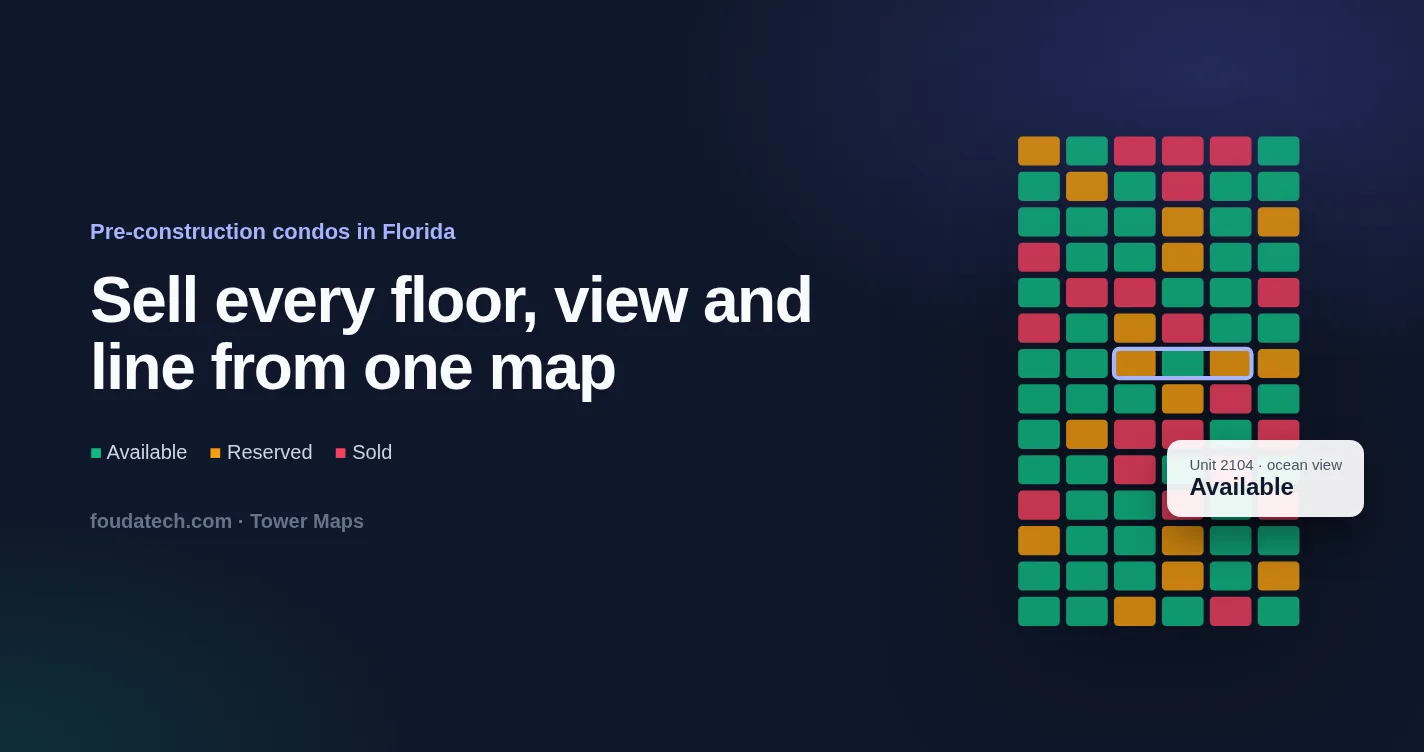
Table of Contents
- How Florida pre-construction condo buyers choose
- Why the price sheet and the PDF fall short
- How a tower map shows floor, view and line
- Selling to local, out-of-state and international buyers
- A link co-op brokers can share
- Release phases and price changes
- Pre-construction condo price sheet vs interactive tower map
- What the map does not replace
- How to get one
- Frequently Asked Questions
How Florida pre-construction condo buyers choose
A buyer looking at a pre-construction condo tower in Miami, Fort Lauderdale, West Palm Beach, Tampa or Orlando rarely starts with “a two-bedroom.” They start with where in the building.
- Floor. Higher floors usually cost more, and many buyers have a floor range in mind before they look at a single plan.
- View. Ocean, bay, river, city skyline, park, or the parking structure next door. In a coastal tower, the same plan can be a very different unit depending on which side it faces.
- Line or stack. Sales teams talk about the “03 line” or the “corner stack” because units in the same line share a plan and an orientation. Buyers who’ve been to the sales gallery start using the same language.
- Exposure. East for morning light, west for sunsets, and whether the balcony gets afternoon sun.
Then come bedrooms, square footage, price, and whether that unit is still available. The buyer is picking a spot on the building, and the best way to show them is the building itself. An interactive tower map does exactly that: your elevation render becomes clickable, and every unit shows its status, price and floor plan.
Selling homes in a Florida community rather than condos? The same map system runs the live Alton map we built for a real estate team in Palm Beach Gardens: 931 homes, each a tap away from its model and floor plan. Home communities start from $2,000 setup + $600/year.
Why the price sheet and the PDF fall short
Most pre-construction sales run on three documents: a rendering, a set of floor plans by line, and a price sheet listing units by number. Each one is fine on its own. The problem is that the buyer has to stitch them together.
To answer “what’s left on the ocean side above the 20th floor under my budget?”, a buyer has to read the unit numbering system, match each number to a line, match the line to a floor plan, find the orientation on a site diagram, then check the price sheet and hope it’s current. Most don’t. They call or message the sales team, which is fine for a serious buyer and a lot of repeat work for everyone else.
The price sheet also goes stale. During a strong launch, a sheet sent to a broker on Monday can be wrong by Thursday.
How a tower map shows floor, view and line
A tower map is built on the elevation render you already use. Every unit, or every floor, is traced as a clickable shape on that image. Where a single elevation can’t show every unit clearly, the map can open a floor plate for the floor the buyer taps, with each unit on that floor as its own shape. Either way, the buyer sees the building and what’s left on it at a glance.
Each unit can show:
| Field | Example |
|---|---|
| Unit number | 2304 |
| Floor | 23 |
| Line | 04 line, southeast corner |
| View and exposure | Ocean and city, east/south |
| Bedrooms and bathrooms | 2 bed + den, 2.5 bath |
| Interior and balcony size | In square feet |
| Price | Shown, or hidden across the whole map |
| Status | Available / Reserved / Sold |
| Floor plan and gallery | The line’s plan, renderings, view photos |
| Inquiry | One-tap form, call or WhatsApp |
Filters narrow the tower to what fits: available units only, a bedroom count, a floor range, a price range. A buyer who wants a two-bedroom on the east side above a certain floor can see every option in seconds, and see which nearby units have already sold.
Today prices are shown or hidden across the whole map; a per-unit “on request” option is in development. Buyers still see status, size and plan.
 A live Tower Maps demo: each unit is a clickable shape colored by status.
Selling to local, out-of-state and international buyers
A Florida condo tower often sells to three groups at once: local buyers who can visit the sales gallery, out-of-state buyers planning a second home or a move, and international buyers who may only see the project on screen.
Local buyers
Local buyers often visit the sales gallery. The same map can run on a screen or tablet there, so the salesperson walks the buyer through the building and then sends the same link to their phone. We cover that setup in using an interactive map in your sales office.
Out-of-state buyers
A buyer in New York or Chicago planning a winter home may not visit until they’re close to signing. The map lets them compare lines and floors at their own pace and come back knowing which units they want.
International buyers
For a buyer in another country, the website is the sales gallery. They can explore every floor at any hour and send an inquiry that names the exact unit. WhatsApp is often the easiest way to reach the team from abroad, and it’s one of the inquiry options on each unit.
In every case, the inquiry already names the unit, floor and view.
A link co-op brokers can share
A lot of pre-construction sales in Florida come through cooperating brokers, and those brokers need material they can send to their clients.
A tower map works as a shareable link as well as an embed on your website. For brokers, that means:
- One link that stays current. A broker sends it today and the client sees the right status when they open it next week.
- No outdated attachments. There’s no PDF price sheet circulating for months after units have sold.
- Unit-specific conversations. A client tells their broker “I like 2304 and 2504,” and the broker calls your team with a short list instead of a vague question.
You decide what the shared map shows. If you want brokers to request a price list from your team, hide prices across the map and keep the status and plans visible.
Release phases and price changes
Pre-construction towers rarely sell at one fixed price. Developers release inventory in phases, and prices often move between releases as the building sells.
The map follows your schedule:
- Release in stages. Show only the released floors or lines, and add the rest as each release opens.
- Update prices yourself. When a new phase starts, your team changes prices in the dashboard. Bigger changes, like restructuring a release, are covered by the edits included in the subscription.
- Keep status honest. When someone signs, the sales team marks the unit Reserved, then Sold when the contract is final. Everyone looking at the website, the sales gallery screen or a broker’s link sees it immediately.
The three statuses do a lot of quiet work during a launch. When a buyer sees most of the ocean-side lines above the 20th floor marked Sold, nobody has to tell them that the building is moving. That’s the point of real-time unit availability: it only persuades if it’s accurate, and accuracy is what the dashboard is for.
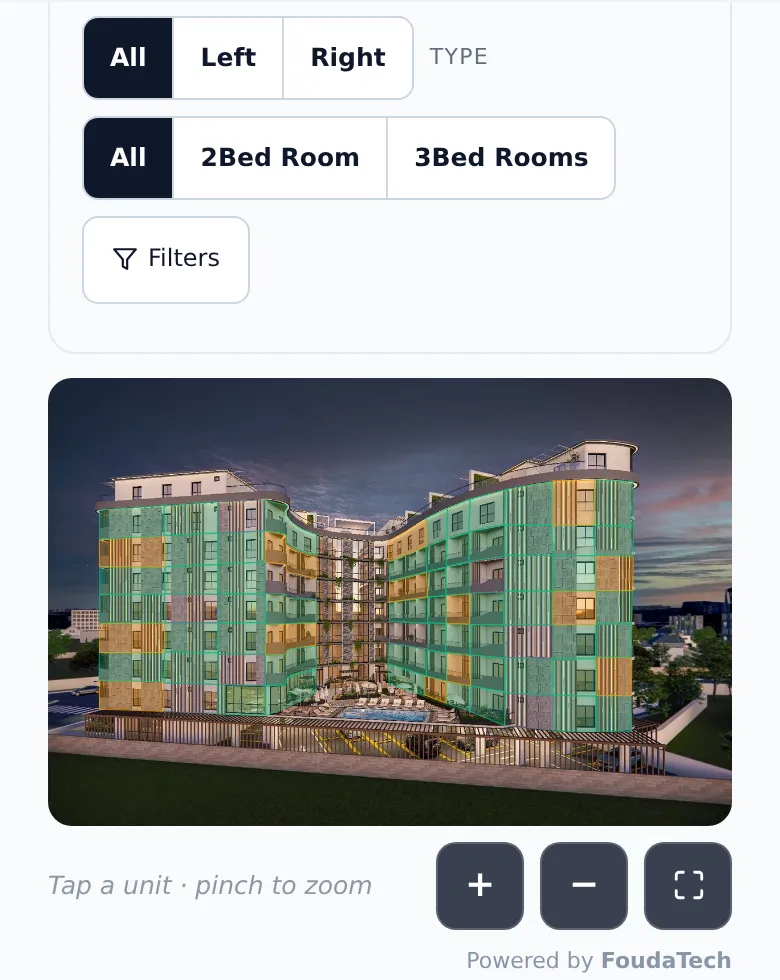 The same map on a phone, with filters by floor, wing and unit type.
Pre-construction condo price sheet vs interactive tower map
| Price sheet and PDF | Interactive tower map | |
|---|---|---|
| Floor and view | Work it out from the unit number | Visible on the building |
| Line and exposure | On a separate site diagram | On the unit, with its plan |
| Availability | As of the day it was sent | Live, from the dashboard |
| Price changes | A new sheet per release | Updated in the dashboard |
| Broker sharing | Attachments that go stale | One link that stays current |
| Phone | Pinch-zoom a PDF | Built for tapping |
| Inquiries | ”Please send the price list" | "Interested in 2304 and 2504” |
What the map does not replace
A tower map shows buyers the building and what’s available on it. It doesn’t run your sales process.
- Deposits and contracts. Buyers will ask about the deposit schedule and the condo documents. Your sales team and your legal counsel answer those, and the contract is signed the way it always is.
- Your CRM. The map isn’t a CRM. Inquiries reach your team by form, call or WhatsApp, and your team follows up the way it does now.
How to get one
FoudaTech builds tower maps with Tower Maps as a done-for-you service, mapped to your own render. You don’t rebuild your website.
- Send your elevation render, and floor plates if you have them.
- Send your unit data. A spreadsheet with unit number, floor, line, view, bedrooms, square footage, price and status is enough.
- We map every unit, build the dashboard and match the map to your brand.
- You embed it with one script tag on WordPress, Webflow or a custom site, and share it as a link with brokers.
Pricing (USD):
- Starter: from $1,200 setup + $600/year
- Growth: $2,000 setup + $900/year
- Premium: from $5,000 setup + $2,000/year
The subscription covers hosting, the dashboard, updates, support and edits. The map system is already built and running, so your map can be live in 2–3 days once we have your render, unit list, floor plans and photos. Larger projects take longer, and we’ll tell you up front. For a full breakdown of what drives the price, see how much an interactive tower map costs.
See a live interactive tower map → or request a free demo of your tower.
Frequently Asked Questions
Can buyers see which units have an ocean or bay view?
Yes. Each unit lists its view and exposure, and buyers can see where it sits on the building. Filters let them narrow the tower to the floors, bedroom counts and prices they’re interested in.
Can we hide prices on some units?
Not unit by unit yet. Today prices are shown or hidden across the whole map; a per-unit “on request” option is in development. Buyers still see status, size and plan.
Can co-op brokers share the map with their clients?
Yes. The map works as a shareable link as well as an embed on your website. Brokers can send it to clients, and the status they see always comes from your dashboard.
How do we handle price increases between release phases?
Your team updates prices in the dashboard when a new phase opens. Larger changes, such as releasing new floors, are covered by the edits included in the subscription.
Does the map handle deposits or contracts?
No. It shows units, status and plans, and sends inquiries to your team. Deposits, condo documents and contracts are handled by your sales team and counsel as they are today.
Do we need a new rendering?
Usually not. The map is built on the elevation render and floor plans you already use in your marketing. If you don’t have a render yet, it has to be produced first, and that’s separate from the map.