 Omar Fouda
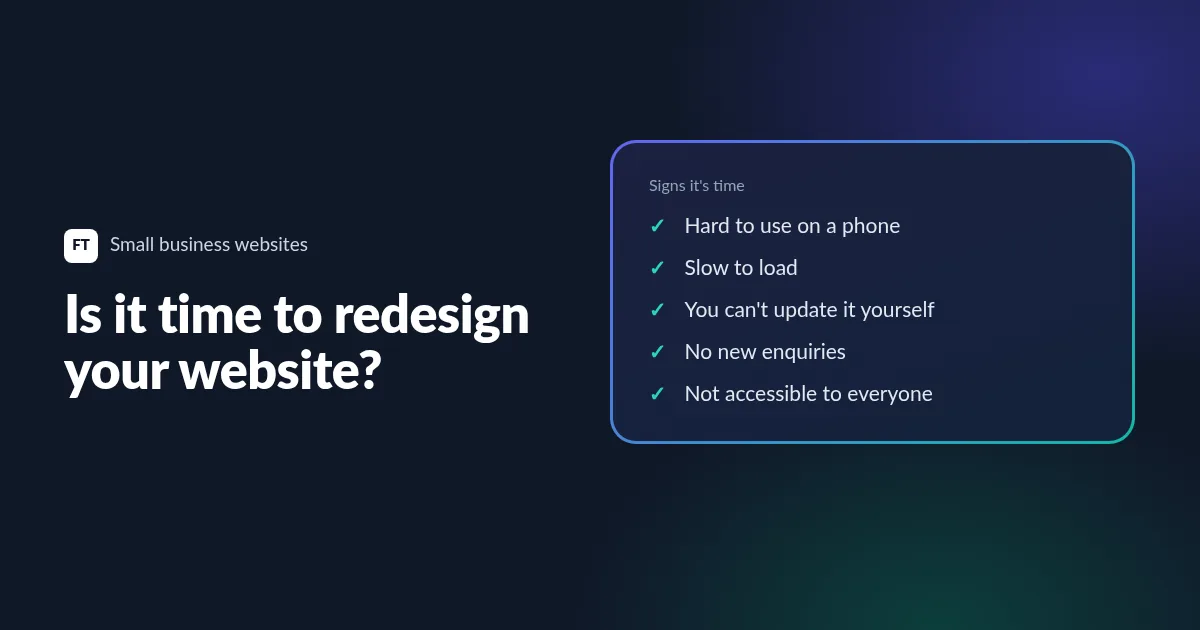
An old website rarely breaks all at once. It loads a little slower each year, looks worse on newer phones, and quietly stops bringing in calls. This guide gives you seven signs you can check yourself, what drives the cost of a redesign in Canada, and how to switch without losing the Google rankings you already have.
I redesign websites for Canadian small businesses. Websites start from CA$3,500 for up to five pages, fixed in writing, and the first step costs nothing: send me your current site and you’ll get a free preview of your new homepage within 2 business days, before you pay anything. For the standard I build to, my concept dental clinic site showed its main content in 2.2 seconds in Lighthouse’s mobile test on a slow connection, with the whole page weighing 207 KB.
Table of Contents
- How Do You Know It’s Time to Redesign Your Website?
- Should You Fix Your Website or Redesign It?
- How Much Does a Website Redesign Cost in Canada?
- What Makes a Redesign Cost More?
- What Should You Prepare Before a Redesign?
- How Do You Keep Your Google Rankings During a Redesign?
- What’s the Lowest-Risk First Step?
- Frequently Asked Questions
How Do You Know It’s Time to Redesign Your Website?
Here are seven signs, each with a check you can do yourself in a few minutes:
| Sign | How to check it |
|---|---|
| 1. It’s hard to use on a phone | Open it on your own phone, on mobile data. Can you read it without zooming and tap the number to call? |
| 2. It’s slow | Test it with PageSpeed Insights and look at the mobile result |
| 3. You can’t update it | Try changing your opening hours. Do you need to call someone, or does nobody have the login? |
| 4. It doesn’t bring in enquiries | Send a test message through every form, then check that it arrived |
| 5. It isn’t on HTTPS | Look at the address bar in Chrome |
| 6. It misses accessibility rules | Move through a page with the Tab key, then zoom to 200% |
| 7. The platform is out of date | Ask your host which version of PHP the site runs on |
Phones. Google uses the mobile version of a site’s content, crawled with its smartphone agent, for indexing and ranking. If the phone version is cramped or missing content, that’s the version Google judges.
 A concept dental clinic homepage FoudaTech built as a demo, on a phone: large text, and Call and Book buttons that stay within reach. Brightwater Lane Dental isn’t a real business.
Speed. Google says Core Web Vitals “are used by our ranking systems”. For a good experience, web.dev says the main content should appear within 2.5 seconds, the page should respond to a tap within 200 milliseconds, and the layout shouldn’t jump. My guide to why websites are slow explains the usual causes.
Enquiries. If you use Google Search Console, its Performance report shows how many people clicked through to your site from Google and which searches they used. Plenty of clicks and few enquiries usually means the site loses people after they arrive.
HTTPS. Chrome has marked every HTTP page “Not secure” since July 2018. On October 21, 2026, Google said Chrome now asks users for permission before connecting to a site without HTTPS, for all users by default. A site still on HTTP now greets new Chrome visitors with a warning.
Accessibility. Ontario requires businesses and non-profits with 50 or more employees to make public websites meet WCAG 2.0 Level AA, and those with 20 or more must file an accessibility compliance report by December 31, 2026. My guide to AODA website requirements explains both.
Old platform. PHP’s own site shows that security support for PHP 8.2 ends on December 31, 2026, and older versions no longer get fixes at all. WordPress recommends PHP 8.3 or greater. If your site can’t be updated because a theme or plugin would break, that’s a strong sign.
Should You Fix Your Website or Redesign It?
Not every old site needs replacing. A rough guide:
| Your situation | Usually better |
|---|---|
| One heavy image, one slow script or one broken form | Fix it |
| Out-of-date text on a design that still works | Rewrite the pages |
| Several of the seven signs at once | Redesign |
| A platform, theme or plugin that can’t be updated | Redesign |
| Nobody can edit the site, or the only person who could has gone | Redesign |
If speed is the main problem, my slow website guide has a table for deciding between optimizing and rebuilding.
How Much Does a Website Redesign Cost in Canada?
Usually about the same as a new site, because most of the work gets redone: the design, the pages, the testing and the move. It can cost less if your text and photos are still good.
Published Canadian prices give a sense of the range. OxOne, a Calgary studio, lists $1,500 to $5,000 for a five-page site from a freelancer and $3,000 to $15,000 from a small agency. Kolonell puts a five-page site in Toronto at CAD 5,000 to 8,500. Both sell websites, so treat these as market signals, not a survey. My guide to how much a website costs in Canada lists more sources and the yearly running costs.
My own price: websites start from CA$3,500 for up to five pages, fixed in writing before work starts. You pay 50% to start, 30% once you’ve tested a working version, and 20% at launch. Bigger sites and extras like online booking cost more.
What Makes a Redesign Cost More?
| Cost driver | Why it adds work | How to keep it down |
|---|---|---|
| Number of pages | Each page is designed, written and tested | Merge thin pages and start with the five that matter |
| New writing | Every page has to be written and checked | Reuse text that’s still accurate, or draft it yourself |
| Old addresses to redirect | Each old URL needs a new home | Keep the addresses that already rank |
| New features | Booking, a shop or a members’ area add build and testing time | Link to a booking tool you already pay for |
| A second language | Twice the content to write and check | Supply checked translations |
What Should You Prepare Before a Redesign?
A redesign goes faster, and costs less, when these are ready before work starts:
- Every login. Your domain registrar, hosting, the site’s admin, Google Search Console, Google Analytics and Google Business Profile. If any of them is in a former employee’s or designer’s name, sort that out first.
- Your most-visited pages. Search Console or your analytics will show them. These are the addresses to protect.
- Text and photos that are still accurate. Reusing them is the easiest saving.
- The questions customers ask most. Good pages answer them before anyone has to call.
- Two or three websites you like, and a note on what you like about each.
How Do You Keep Your Google Rankings During a Redesign?
Google publishes a guide to moving a site with URL changes. For a small business redesign, these are the parts that matter most.
Before launch
- Keep your web addresses where you can. Google’s Change of Address help page warns that if you combine a move with a redesign of your content and URL structure, “you will probably see some traffic loss as Google might need to relearn and reassess the individual pages.”
- List the pages that matter. Note which pages get clicks in Search Console’s Performance report, and which searches bring them.
- Map every old URL to its new one, including images and PDFs that get traffic.
- Change one thing at a time. Google’s example: if you want a new domain, a new content management system and a new layout, do them one after the other, not together.
Launch day
- Use permanent server-side redirects, such as 301 or 308, from each old URL to its new page. Google says permanent redirects “don’t cause a loss in PageRank.”
- Don’t send everything to the homepage. Google says redirecting many old URLs to one irrelevant page, such as the homepage, might be treated as a soft 404 error.
- Avoid chains, where page 1 redirects to page 2, which redirects to page 3.
- Remove any noindex tags or robots.txt blocks used while the new site was being built.
- Submit the new sitemap in Search Console. The Change of Address tool is only for moving to a new domain or subdomain, not for a switch to HTTPS or page moves within your domain.
After launch
- Expect some movement. Google says a medium-sized site can take a few weeks or more before the new URLs replace the old ones in results.
- Keep the redirects for at least a year. Google recommends keeping them “for as long as possible, generally at least 1 year.”
- Update links you control, such as social profiles and ads.
When I redesign a site, I map every old page to its new address and set up the redirects, so your search history and your customers’ bookmarks follow you to the new site.
What’s the Lowest-Risk First Step?
See the new design before you commit to anything. Send me your current website, and within 2 business days you’ll get a free preview of your new homepage: a working design using your business name and real content from your current site. If you like it, you get a fixed written quote. If you don’t, you owe me nothing.
Most small business sites take two to four weeks. The biggest factor is usually how quickly the text and photos are ready.
I work remotely from Accra, Ghana, during Canadian business hours, by email or video call. If you’re comparing designers, my 12 questions to ask a web designer work for anyone you talk to, me included. Get your free homepage preview.
Related guides: Hire a developer or build it with AI? · Canadian website compliance checklist · How much a website costs in Canada
Frequently Asked Questions
How much does a website redesign cost in Canada?
Usually close to the price of a new site. Canadian studios publish ranges such as $1,500 to $5,000 for a five-page site from a freelancer in Calgary and CAD 5,000 to 8,500 in Toronto. My websites start from CA$3,500 for up to five pages, fixed in writing.
Will a redesign hurt my Google rankings?
It can if old pages disappear without redirects. Keep your web addresses where you can, redirect every old URL to its new page with a permanent redirect, and submit the new sitemap in Search Console. Some movement for a few weeks is normal.
How long does a website redesign take?
Mine usually take two to four weeks, depending mostly on how quickly the text and photos are ready. The free homepage preview arrives within 2 business days.
Should I redesign my website or just fix it?
Fix it if one thing is wrong, like a slow image or a broken form. Redesign if several signs show up at once, the platform can’t be updated, or nobody can edit the site.
Do I need a new domain name for a redesign?
No. Keep your domain unless you have a strong reason to change it. Google suggests making one change at a time, so a new domain and a new design shouldn’t happen together.
How long should I keep redirects after a redesign?
Google recommends keeping them for as long as possible, generally at least a year, and suggests considering keeping them indefinitely for visitors, so old bookmarks and links keep working.